
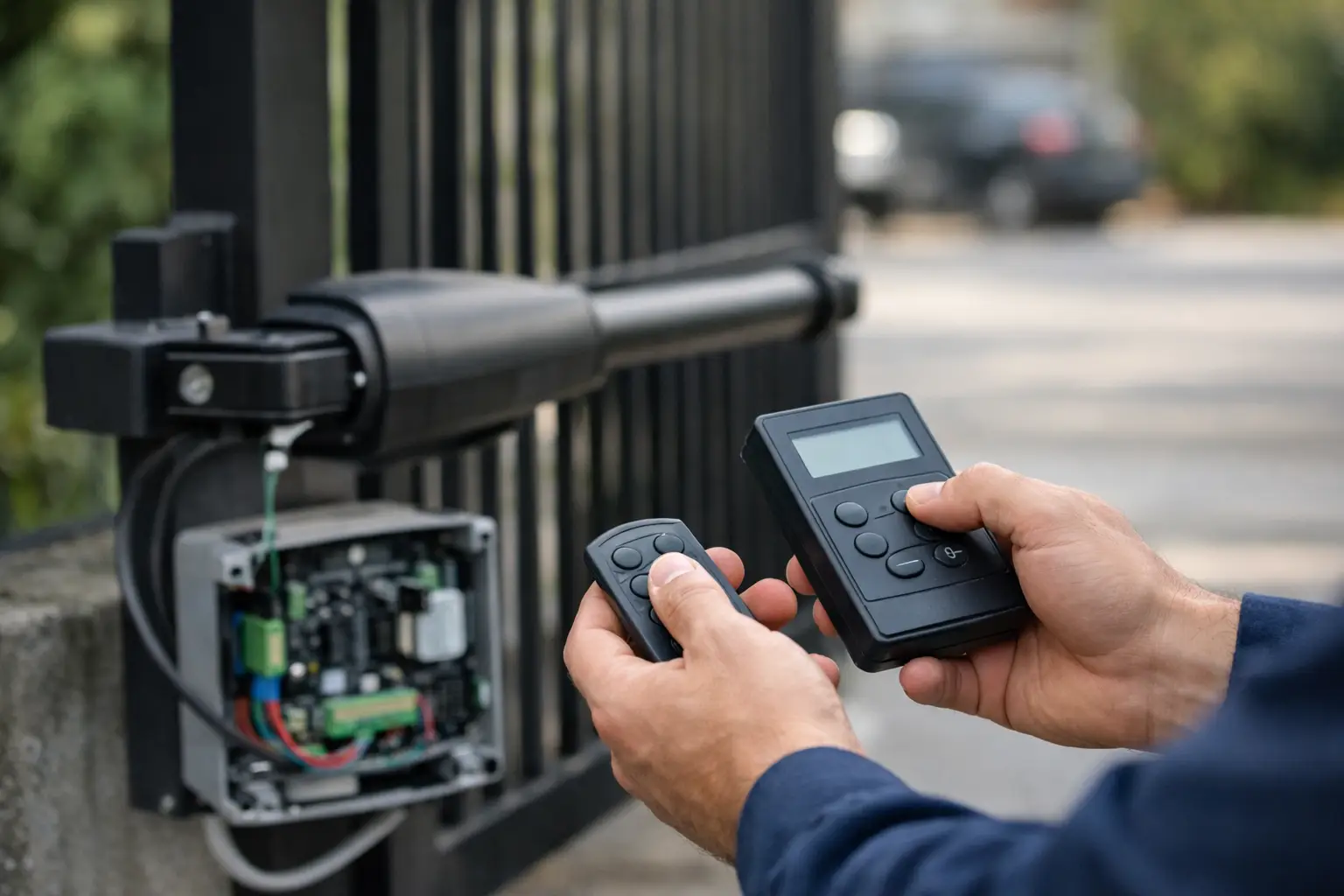
A swing gate that opens too far, stops short, or hesitates on closing is not just inconvenient. It can put strain on the motor, affect safety devices, and leave your entrance unreliable when you need it most. If you are searching for how to program swing gate motor systems, the first thing to understand is that programming is rarely just pressing a few buttons. It usually means teaching the control board how the gate should move, where it should stop, and how it should respond to obstacles, remotes, keypads, and access controls.
For some owners, that is manageable. For others, especially where the gate is heavy, commercially used, or connected to multiple safety devices, it is better handled by an experienced installer. The difference matters because poor programming can cause nuisance faults at best and unsafe operation at worst.
What programming a swing gate motor actually means
When people ask how to program swing gate motor equipment, they are usually talking about one of four tasks. They may need to pair new remote controls, reset open and closed positions, adjust force or run times, or set up accessories such as photocells, intercom entry, magnetic locks, and automatic closing.
The exact process depends on the motor type and control panel. Above-ground ram motors, articulated arm systems, and underground operators all behave differently. Some modern units have digital displays and guided menus. Others rely on dip switches, LED indicators, and timed learning cycles. That means there is no single method that covers every gate.
Before changing anything, check the manufacturer instructions for your exact model. If those are missing, note the control board reference, motor brand, and any fault codes before touching the settings. Guesswork often creates more work later.
Start with safety before you change any settings
A gate motor should never be programmed as though it is just another household device. Automated gates are powerful pieces of equipment. If safety edges, photocells, force limits, and stop behaviour are not set correctly, the system can become dangerous.
Before you begin, isolate the power if you are opening control enclosures or checking wiring. Make sure the gate area is clear, especially where children, pets, vehicles, or delivery access are involved. If the gate has a manual release, know how to use it before starting. That is particularly important if a setting change leaves the gate inoperable halfway through.
If you notice damaged hinges, gate posts that have moved, stiff movement, water ingress, frayed cabling, or unreliable safety devices, deal with those faults first. Programming cannot compensate for mechanical or electrical defects. In fact, trying to do so often masks the real issue and puts extra load on the system.
How to program swing gate motor limits and travel
The most common programming job is teaching the motor where the gate should open and close. On some systems this is a full learning cycle. On others, it involves manually positioning the leaves and storing the end points.
The gate must move freely before you start. If one leaf drags on the ground or binds near the post, the motor may learn the wrong force profile or stop position. Once the mechanical side is confirmed, the control board is usually placed into a programming or learn mode. From there, the gate will either be moved manually in sequence or run automatically while the board records travel time and deceleration points.
This stage needs patience. If the open angle is too wide, the hinge geometry and motor arm can be overworked. If the closed stop is wrong, the leaves may fail to meet cleanly, which affects locking and security. On paired gates, the delay between leaf one and leaf two also matters. The wrong closing order can cause the leaves to clash or leave a gap.
Underground systems deserve extra care here. They can look tidy from above, but access for adjustment is more involved, and inaccurate limit setup can be difficult to diagnose once covers are back in place.
Force settings are not there to hide a problem
Many control boards let you raise opening or closing force. This can be useful within the correct range, but it should never be the first answer to poor gate movement. If the gate has become harder to move because of worn hinges, swelling timber, misalignment, or a failing lock, increasing force simply pushes the motor harder against a fault.
A properly programmed gate should move consistently without sounding strained. If it slows, jolts, or reverses unexpectedly, the cause may be force settings, but it may just as easily be a mechanical issue or a photocell fault.
Pairing remotes, keypads and entry controls
Another common part of how to program swing gate motor systems is adding access devices. In most cases, pairing a remote means entering the receiver into learn mode and pressing the required button on the handset. Straightforward enough, provided you have the correct compatible remote and the receiver memory is not full.
Where it becomes more complicated is when the gate is also linked to a keypad, intercom, GSM entry system, free exit loop, or timed hold-open function. These accessories often rely on clean wiring, correct relay settings, and sensible logic in the control panel. A gate can be perfectly programmed for movement but still behave poorly because an access device is sending the wrong command or remaining latched.
Commercial sites often need tighter control than private homes. For example, you may want a timed pedestrian opening during office hours, full opening for vehicles, and a separate command from an intercom out of hours. Those settings need to be coordinated properly so the gate remains safe and predictable for every user.
Auto-close, pedestrian opening and other common settings
Many owners want the gate to close automatically after a set time. This can improve security, but it needs to suit the property. On a quiet private driveway, a short delay may be fine. On a commercial entrance with regular vehicle movements, too short a delay can become a nuisance and increase wear.
Pedestrian opening is another useful function. Instead of opening both leaves fully, the system opens one leaf or opens partially to allow someone through on foot. This works well when programmed carefully, especially where the gate is linked to an intercom or keypad. The important point is that these convenience settings should never interfere with safety inputs.
Some boards also allow soft start, soft stop, obstacle sensitivity, electric lock timing, courtesy lights, and partial opening widths. Helpful features, certainly, but more settings mean more scope for conflict if changes are made without a clear plan.
When programming will not fix the problem
It is easy to assume the control board is at fault whenever an automated gate misbehaves. Sometimes that is true. Just as often, the problem lies elsewhere.
A gate that stops in the same place every time may have an obstruction, a bad hinge point, or cable damage. A gate that works in dry weather and fails in heavy rain may have moisture in a junction box or photocell. A gate that opens by itself may have a faulty receiver, interference issue, or incorrect input wiring. In those cases, reprogramming the motor will not solve the cause.
This is where specialist diagnosis matters. Good installers do not start by changing settings at random. They check the condition of the gate, test inputs and outputs, review safety devices, and then programme the system to suit the actual hardware in front of them.
When to call a specialist
If your system is under warranty, connected to multiple access controls, or used by staff, residents, tenants, or visitors, professional support is usually the sensible route. The same applies if the gate is heavy, has underground motors, includes safety edges, or has developed a fault after impact or electrical failure.
For homeowners, there is a practical middle ground. Pairing a genuine remote or adjusting a basic timer may be reasonable if the manufacturer instructions are clear and the gate is otherwise healthy. Relearning travel, altering force settings, bypassing safety devices, or opening the panel without confidence is another matter.
At Crabtree Electrical Gates, this is the point where an on-site assessment often saves time. A gate may appear to need programming when it actually needs alignment, replacement accessories, or electrical fault finding. Equally, where programming is the issue, getting it set correctly means the whole entrance works as intended rather than just working for now.
A sensible approach to how to program swing gate motor systems
The right way to handle programming is to treat it as part of the whole gate system, not as an isolated button-press exercise. Motor settings, travel limits, safety devices, access controls, and the physical gate all affect one another. If one part is wrong, the rest will never perform properly.
If you are confident, have the correct manual, and are making a minor change such as pairing a handset, proceed carefully and document every step. If the gate is inconsistent, unsafe, or tied into a wider access setup, get a specialist to look at it before a small issue turns into a bigger repair.
A well-programmed swing gate should feel uneventful. It opens when expected, closes cleanly, responds safely, and gives you one less thing to think about.
0 Comments